Build your walls, doors and windows
Once you have added your floorplan, you can start to build your walls. Select the wall building tool from the “hammer” menu on the left and simply press where you want to start to create your walls: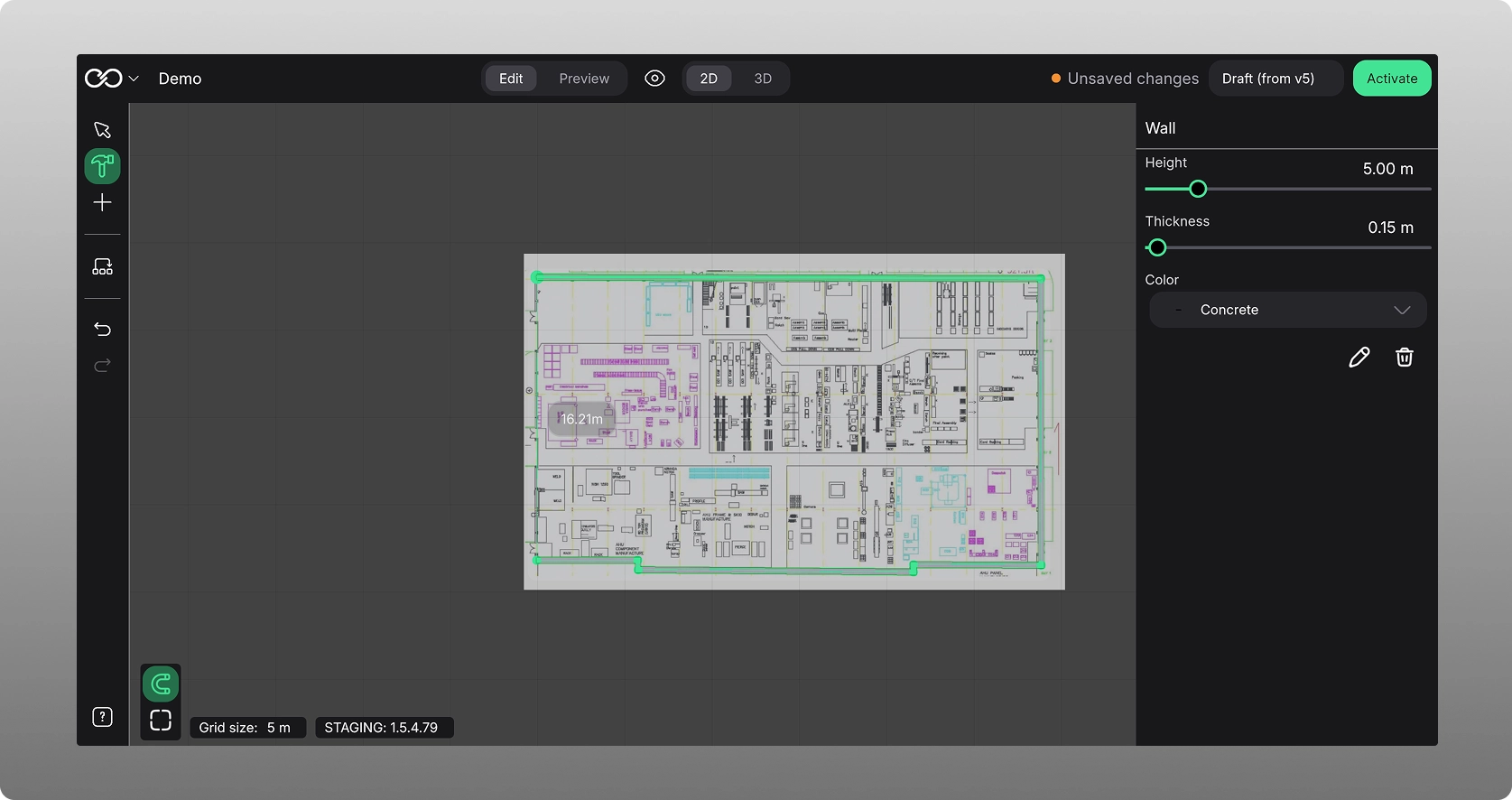
Then add windows or doors by selecting the “+” icon in the left hand menu, select “Objects” and “Building”. You can then choose between a set of doors and or windows to add. Once selected, they will automatically align to the wall and move with your mouse, and you can place them where they should be: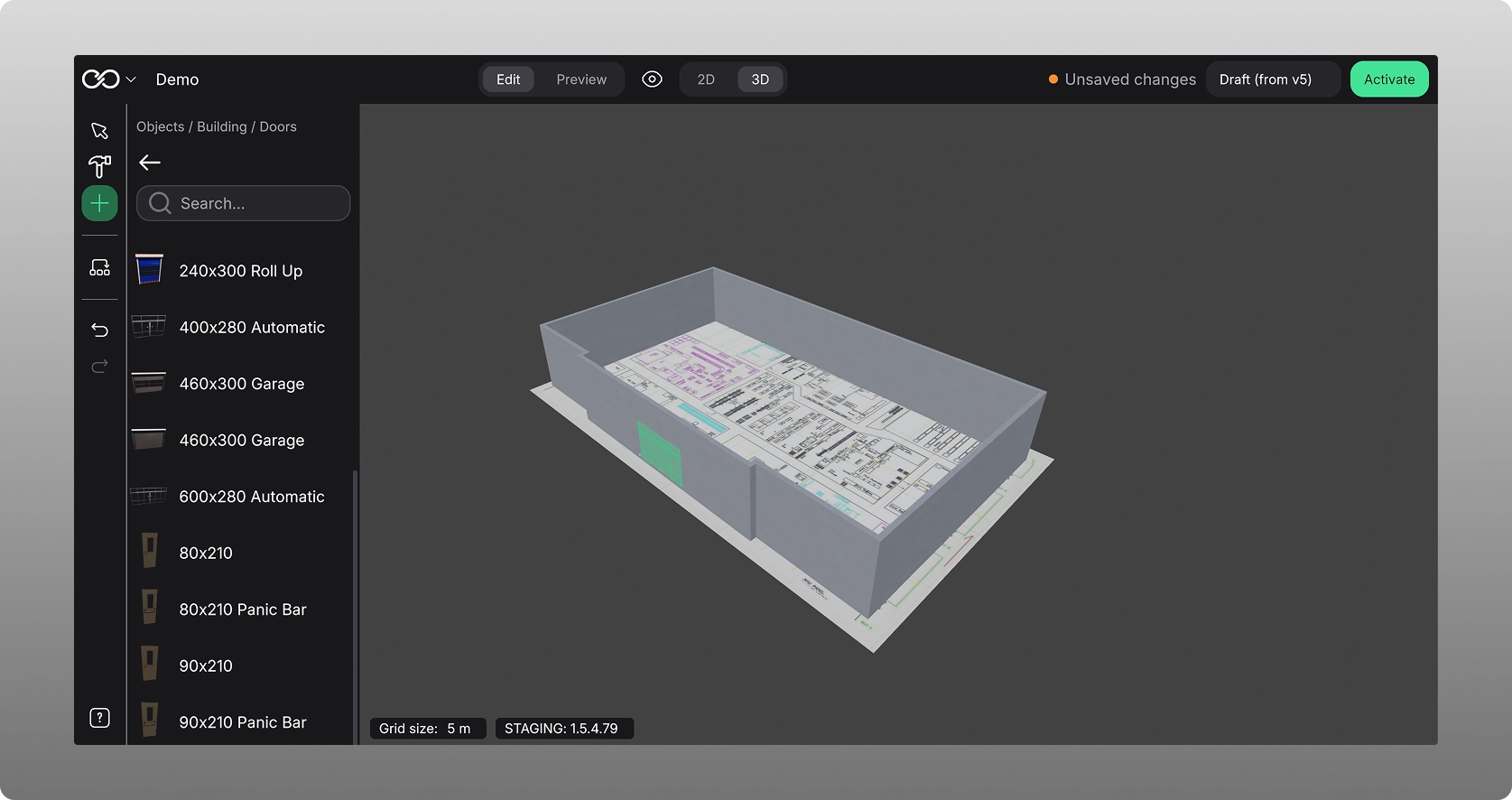
Adding assets to your factory
Now you can start to add assets / machines / production lines to your digital twin. Press the “+” icon in the left hand menu, choose machines, locate the specific machines you want to use, select it, move the mouse over to the scene and click where you want to place it: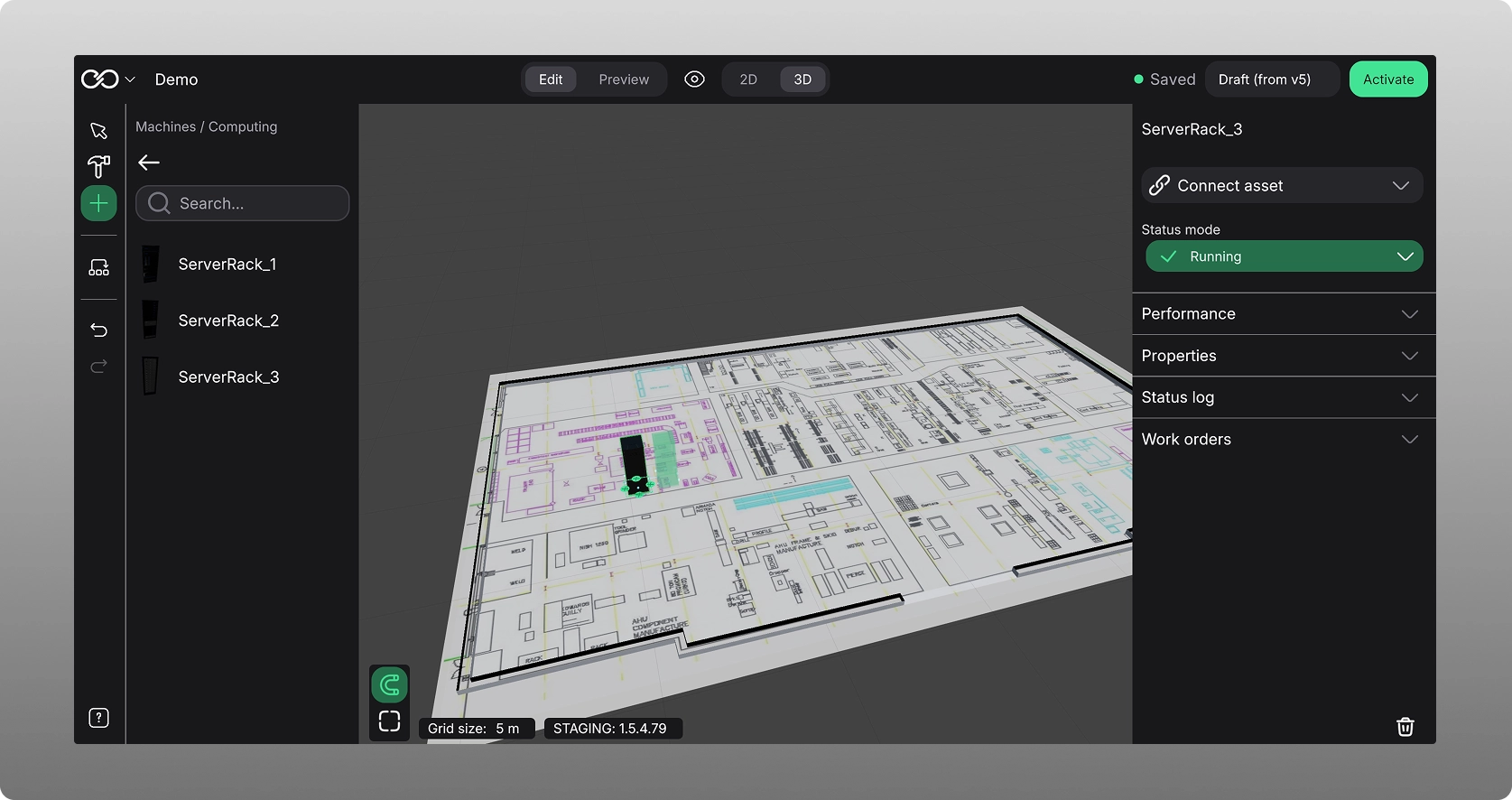
In the inspector on the right hand side, you see a number of attributes connected to this asset:
- Name. this name can be changed by you.
- Connect. If your operational data is connected, you can then go ahead and connect this specific asset to the right data.
- Performance. Shows connected KPIs and real time data related to KPIs.
- Properties. Shows the physical properties of the asset.
- Status log. Shows the status of the machine.
- Work orders. Shows if there are or have been any work orders in the past.
Many of these fields will be blank if you do not have operational data connected to them.
Snapping and alignment tools
On the bottom left, next to the help menu, you have snapping and alignment tool. Once activated, the asset will snap to closest grid.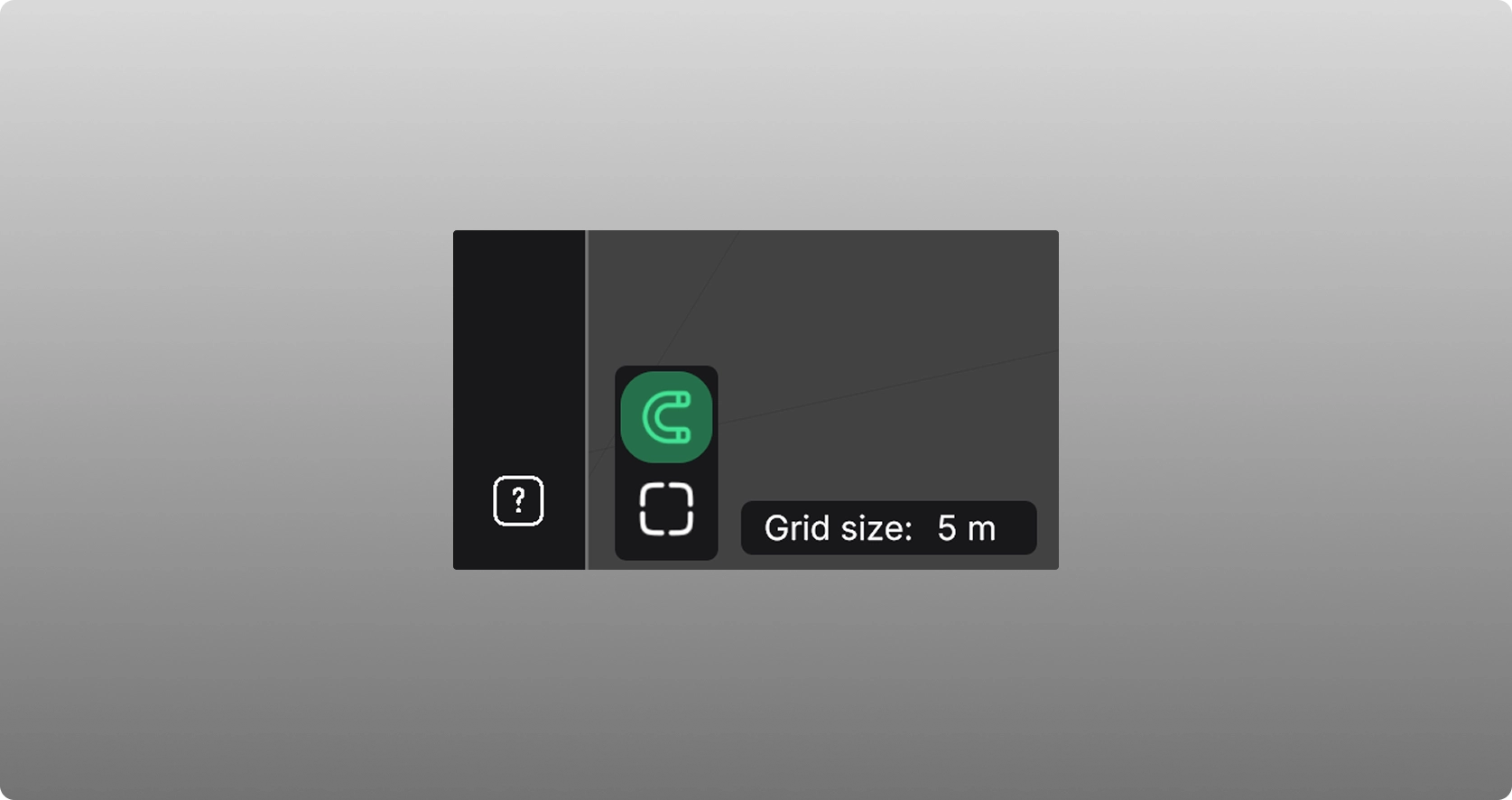
To align assets, lines will occur as machine / assets are aligned in the scene: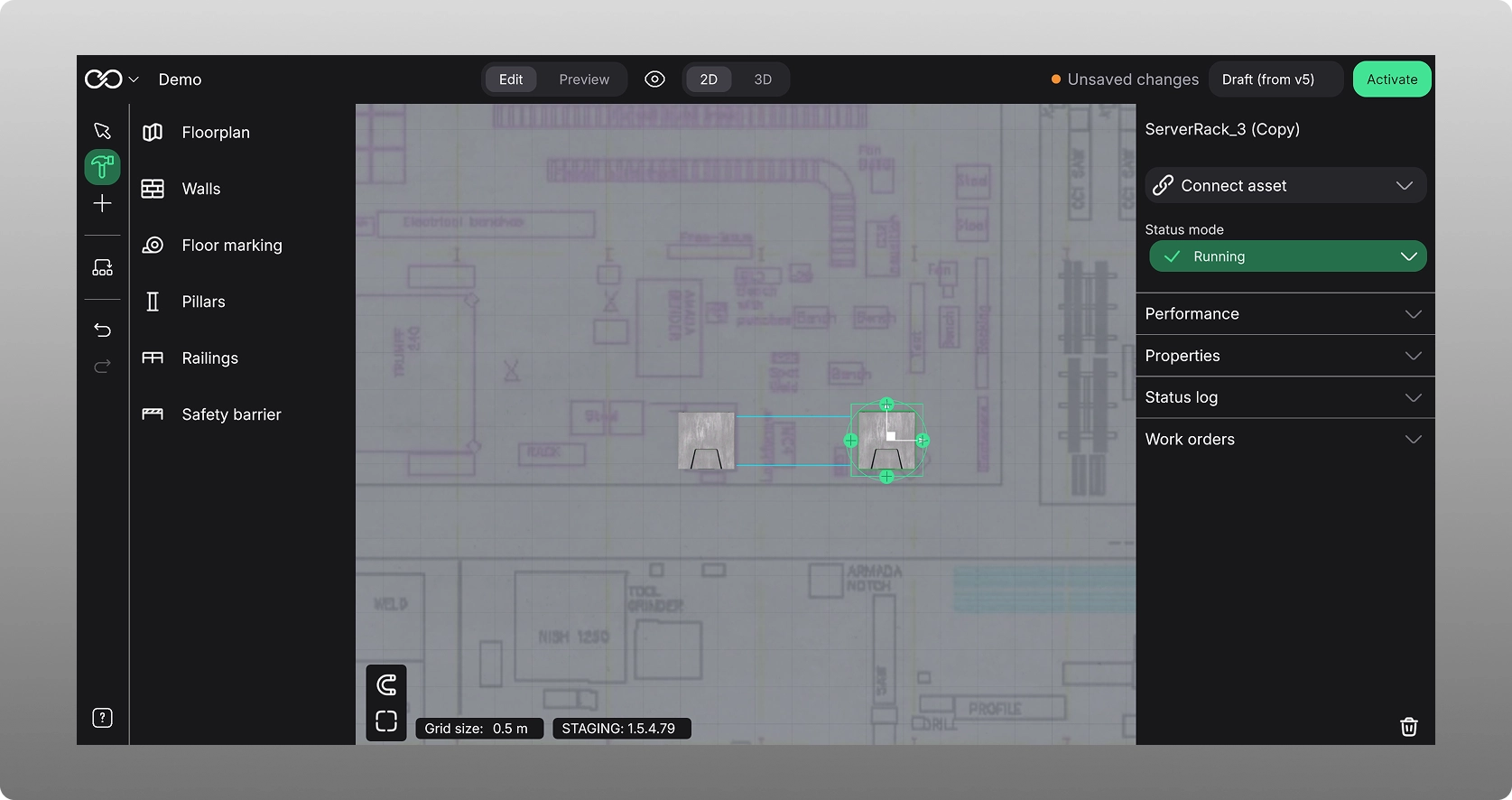
Was this article helpful?
That’s Great!
Thank you for your feedback
Sorry! We couldn't be helpful
Thank you for your feedback
Feedback sent
We appreciate your effort and will try to fix the article