Connecting operational data
Your use case for your digital twin is very limited in just recreating it digitally. To add operational value, the operational data (read ERP, MES or other operational data) needs to be connected.
To simplify the connectivity, we have allowed you to connect on machine level, as well as on production line level for a plant.
Simply choose your asset and in the inspector, choose to “connect asset”. Choose the data object to connect and it is ready for you.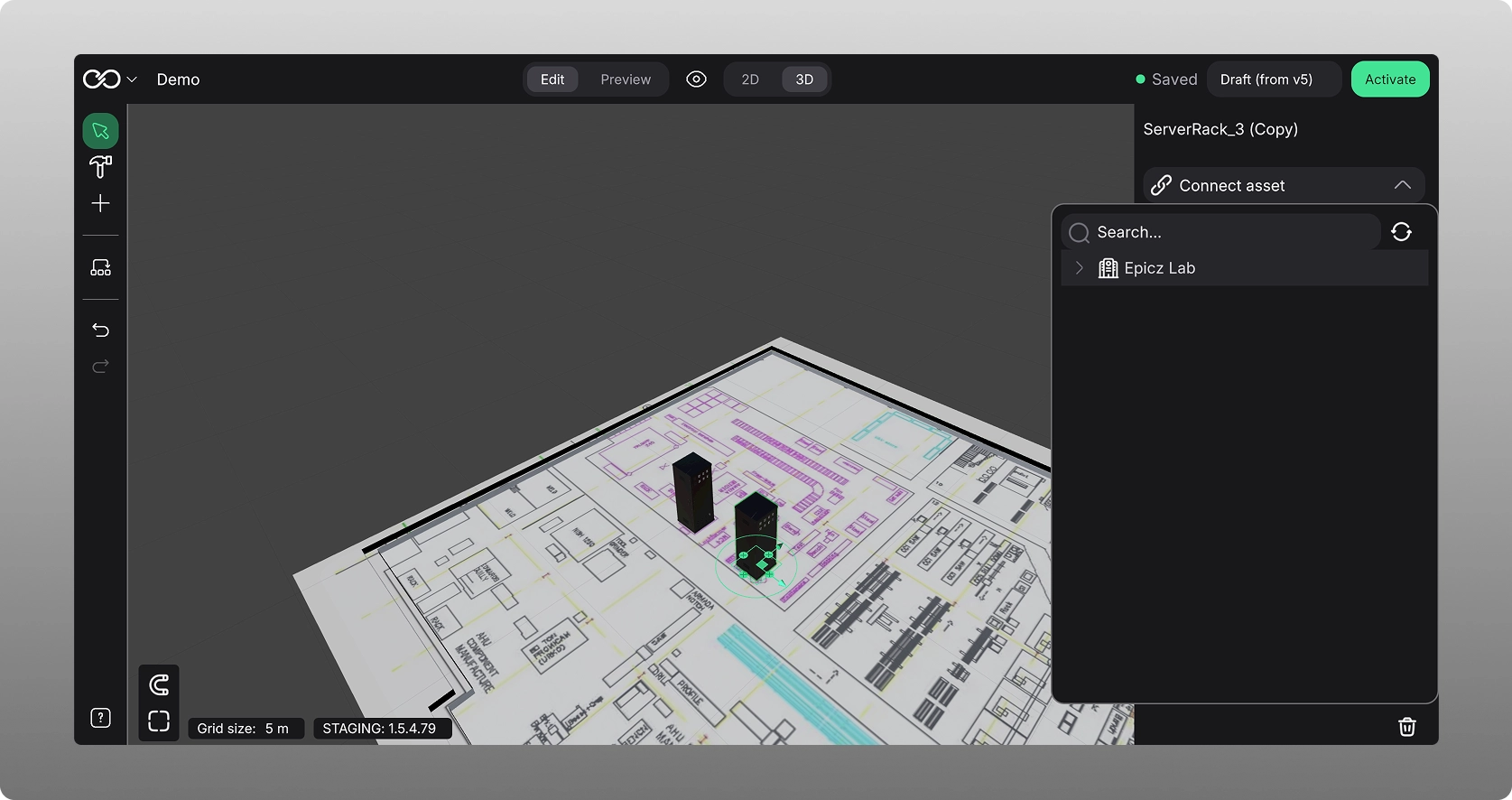
if a data connection has not been set up from the admin, then no operational data can be connected.
Once connected, you can also choose the group menu item on the left hand side, and see data from a production line point of view, with details coming from the operational data.
Simply choose the menu item, a tree will expand showing you where you can allocated connected data, and you choose to the set of the machines to that production line data. It can then be visualized in the following manner: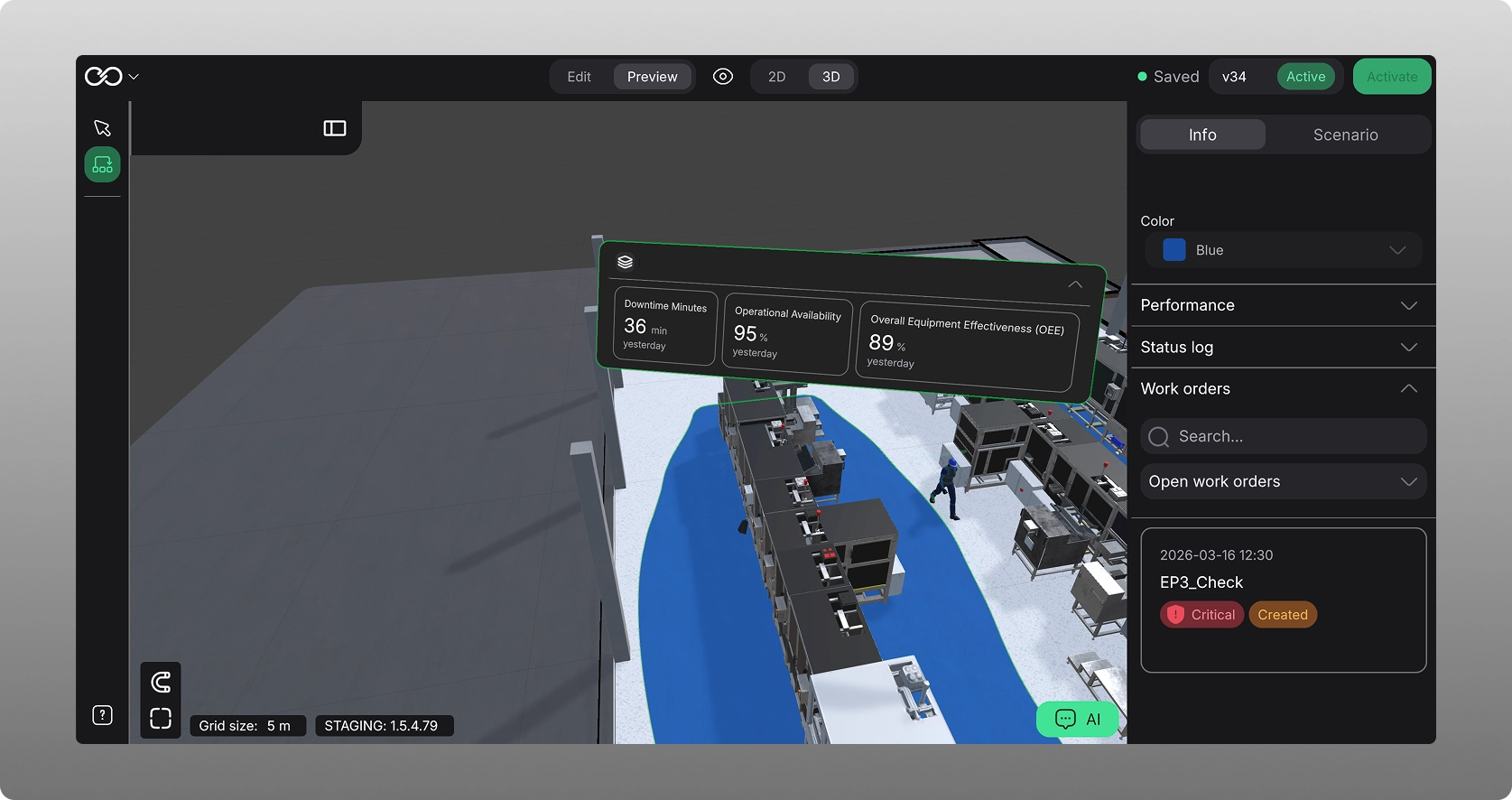
KPIs
Factory Live allows easy ways of displaying real time KPIs, as long as there is operational data integrated.
After having connected assets to operational data, you choose the group icon in the left hand menu, and from there you can choose which ever KPIs to enable, that you want to ensure helps to drive performance and optimization in your factory and on the plant floor and that can act as your operational dashboard.
States
For states, you can either connect this to the machine signal, or manually edit the state of the machine. You do this by choosing a specific machine / asset, and in the inspector panel on the right choose the “Status mode” field. here you can change the state and the machine will show in a similar manner: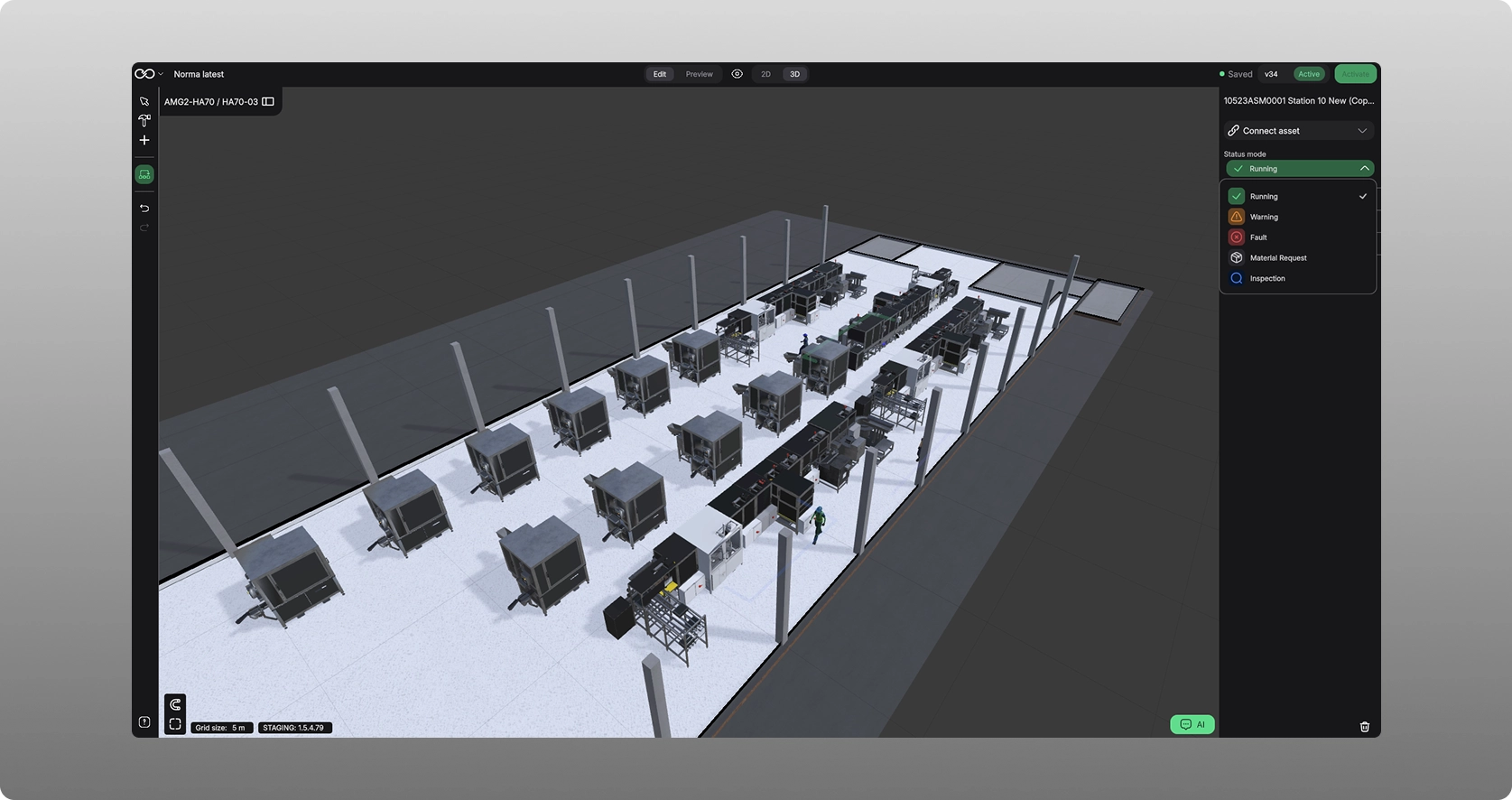
The following states are available to choose from:
- Running. Nothing is wrong with the machine.
- Warning. There is something not right with the machine but it is still running.
- Fault. The machine is down due to fault.
- Material request. There is a shortage of material on the machine.
- Inspection. Machine is temporarily paused due to inspection.
Was this article helpful?
That’s Great!
Thank you for your feedback
Sorry! We couldn't be helpful
Thank you for your feedback
Feedback sent
We appreciate your effort and will try to fix the article