The portal is used to set everything up and can of course be used on an industrial PC, on a tablet or other already used devices in production for running Operator AI.
Epicz has also built an app that you can run via your phone that gives you the capability of using everything set up by your company admin. Go to https://portal.epiczlab.com/app
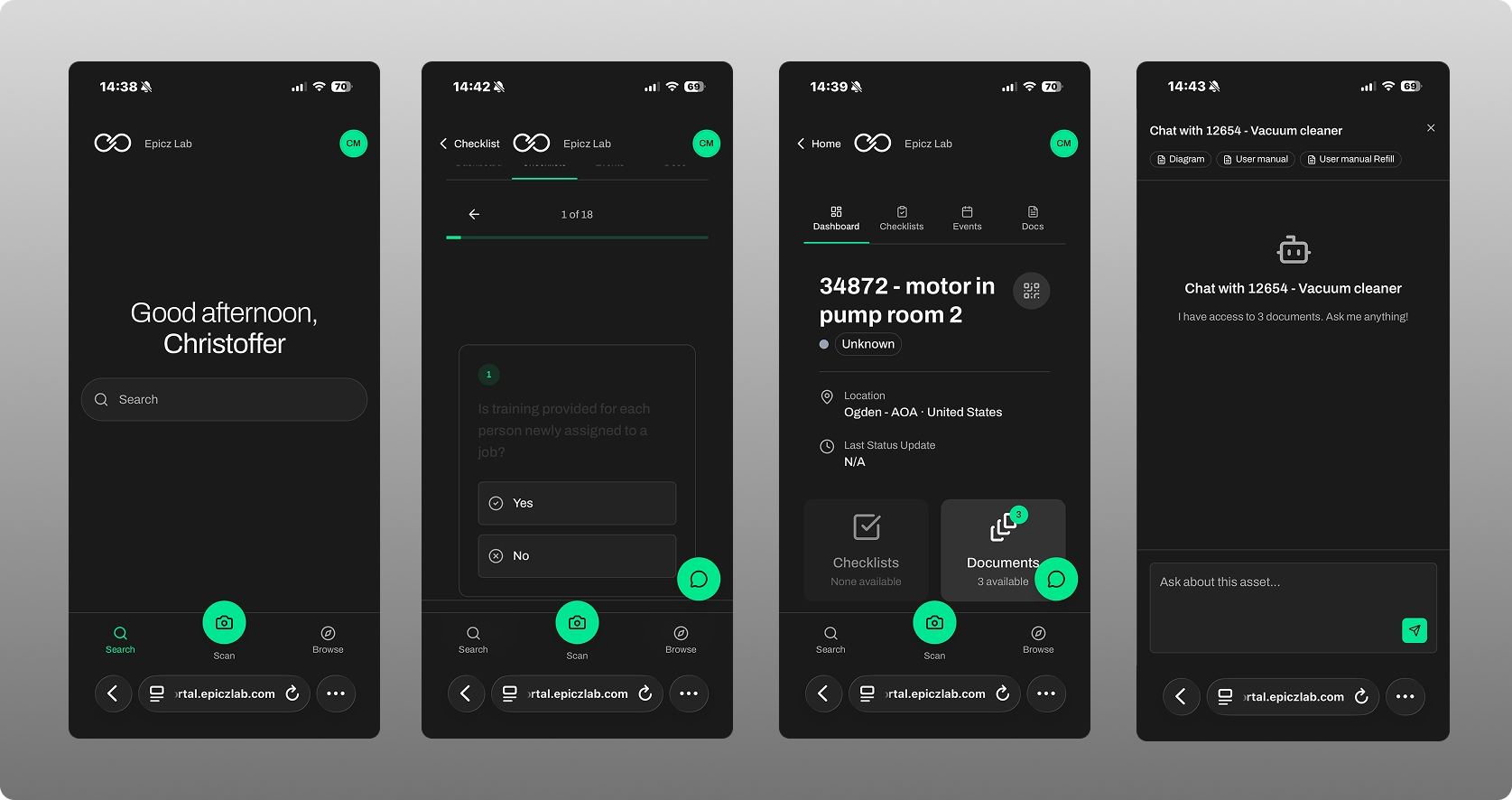
The different parts of the app and what they do
At start, you come to a landing place:
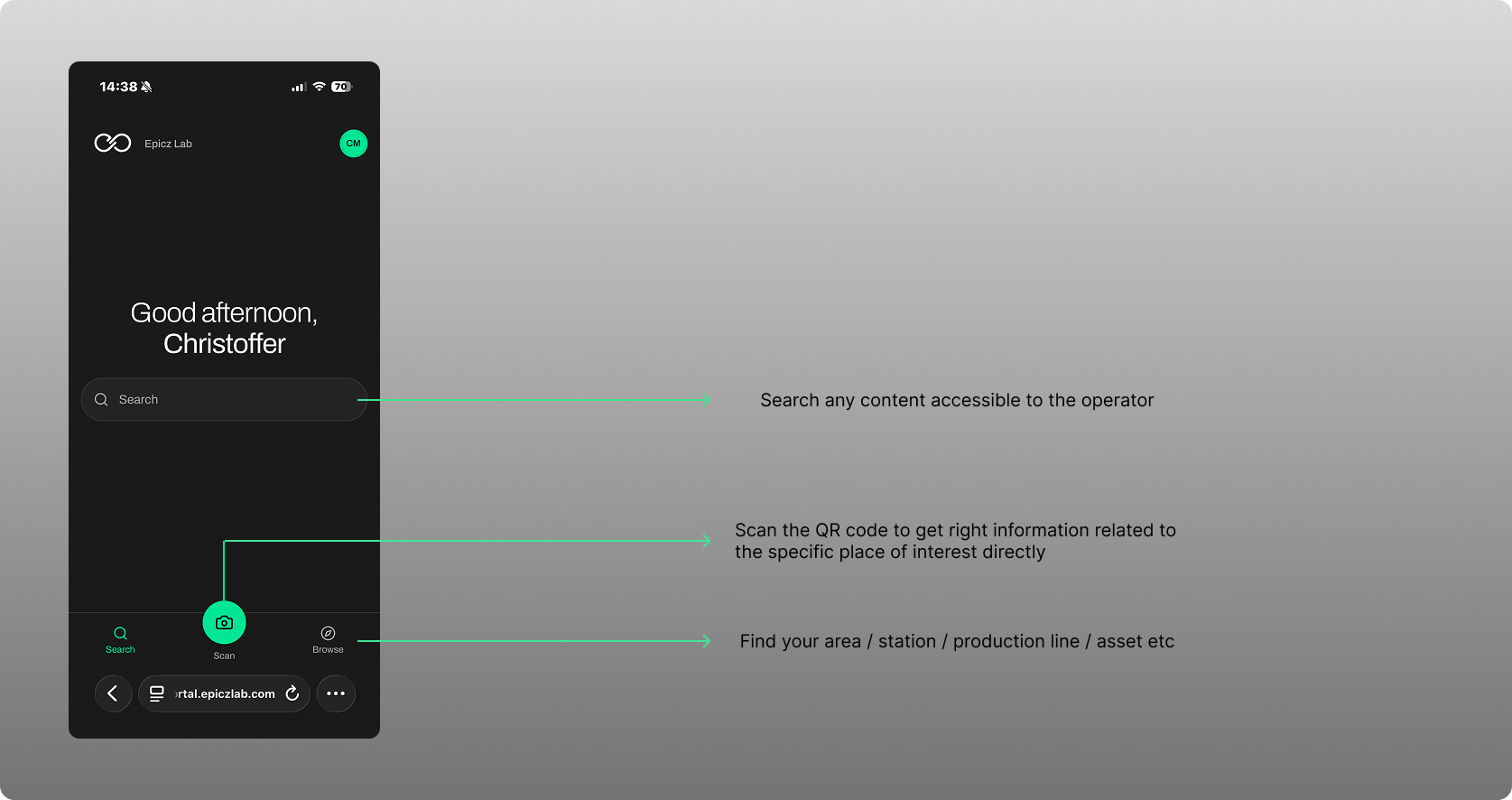
The Find your area allows you to efficiently find the right line or station. If you want to get to right place with the right content directly, you simply use the camera to scan the QR code and it will bring you to the right context from the start.
Once there, if there is operational data connected, this will be visualized in the app:
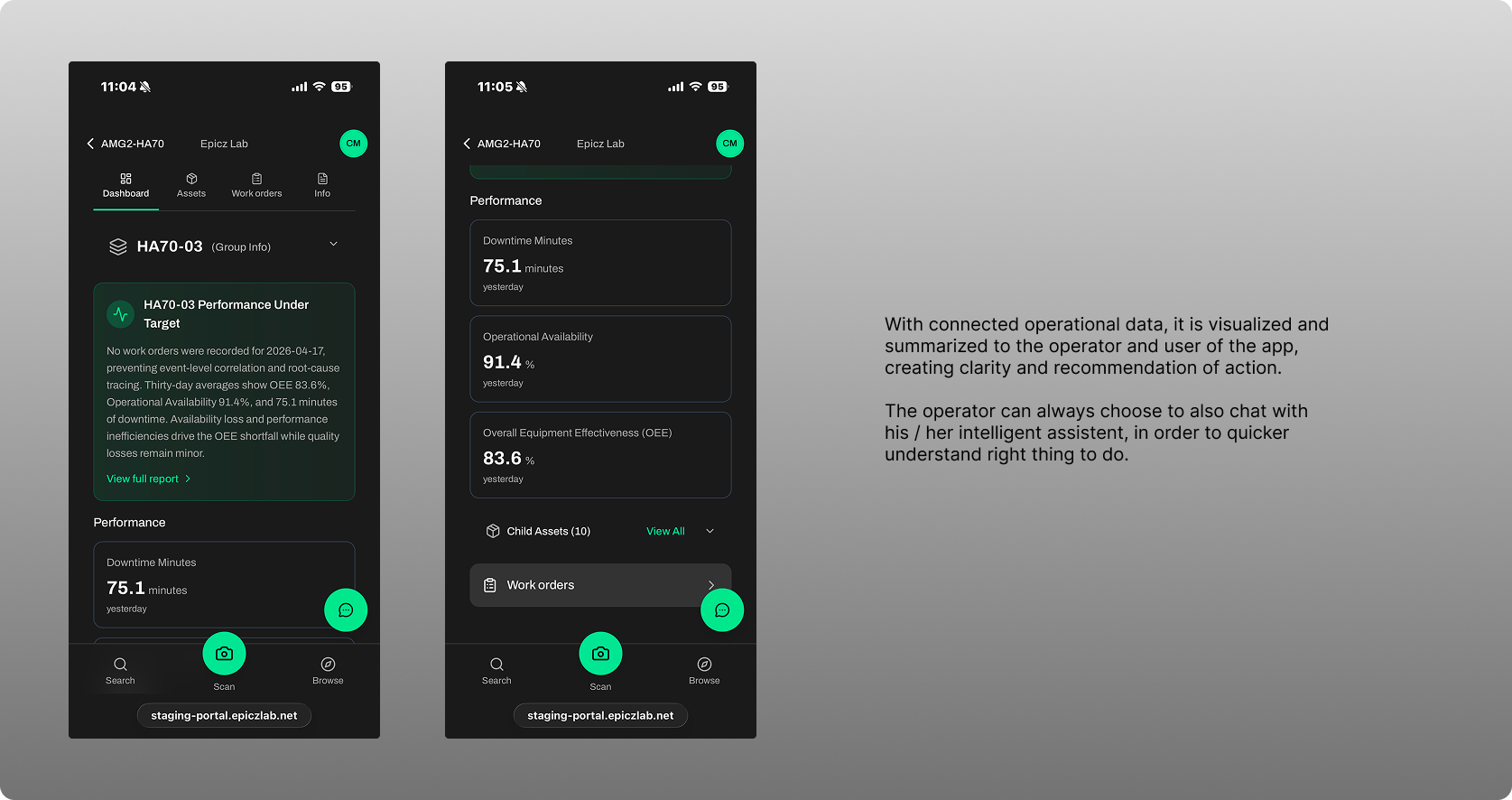
The app then gives access to this general dashboard, your assets within a line for example, work orders, checklists and general info as well as the intelligent assistant that understands the data from all systems interacted with.
The features in the app
CHECKLISTS: Allows any earlier paper based data collection activity to now be carried out digitally. Any type of checklist can be formed, customized and used for its intended purpose, whether it be audits, compliance checklists, 5S checklists, kaizen or daily management of continuous activities checklists, they are all available to you.
OPERATIONAL DATA: No matter operation system used, the data is ingested and visualized through the app in a way that allows the operator to take correct actions.
AI INTELLIGENT ASSISTANT: Understand your context and focuses on this. Chat with Epicz AI in natural language, and in practically any language you want and it will respond accordingly.
Was this article helpful?
That’s Great!
Thank you for your feedback
Sorry! We couldn't be helpful
Thank you for your feedback
Feedback sent
We appreciate your effort and will try to fix the article